Getting started
This was one of those ideas that came (almost) out of nowhere. We were working on a horror game and our team wanted to add fog to increase the fear factor.
I thought it would be fun if the player could interact with it in some way. I’ve never done anything quite similar, and I felt up for a challenge. The feature wasn’t a requirement by the team at all, but I felt it would be a great addition if I could accomplish everything I’d planned, so I pulled out all the stops.
Proof of concept
I started with a few approaches. I threw together a simple volume material in Unreal to make the fog. My initial idea was for the player to be able to cut a path in it somehow, that then disappeared behind them after a set amount of time.
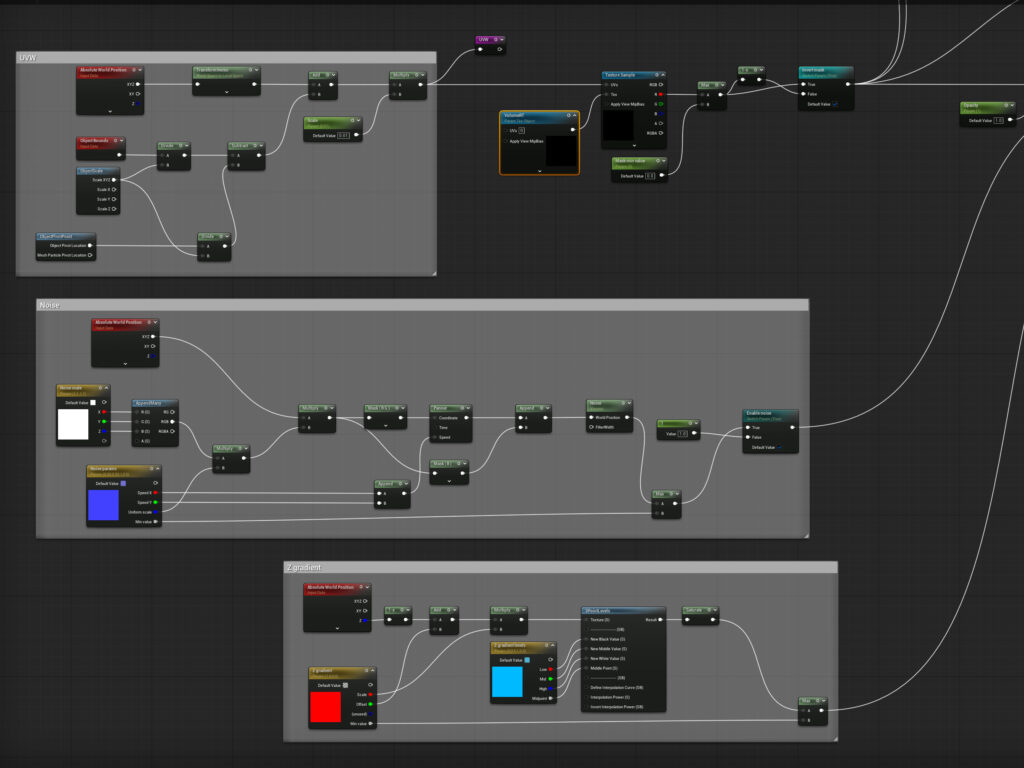
I knew I had to pass data to the fog shader somehow, that would function as a mask. I first looked at virtual texturing, and then found out that it is not compatible with material using the volume domain.
So, I simplified things a little: I ended up making a 2D canvas render target, and wrote the player’s world position to each pixel line by line. When it filled up, I started from the beginning. This automatically solved the path disappearing behind the player, I just had to interpret that as a mask in the shader.
For this I had to use some HLSL: I iterated through each pixel in the render target, where I interpreted each location as a sphere with a set radius. If the current world location was inside any sphere, I set the fog’s opacity to 0.
Compute shaders
After the concept was proven and the mechanic was a great success during some external testing, it was time to make it robust. I wanted to get rid of the drawing-to-a-texture-on-the-CPU part and move it all to the GPU. Since Niagara systems can run on GPU sim mode, this is where I turned.
After messing around some, I turned on the Niagara Fluids plugin which was still in beta. With documentation being sparse, I started looking through all the function and class definitions, when Grid3D caught my eye. It aligned with the description of what I was trying to do, so I knew I was on the right track.

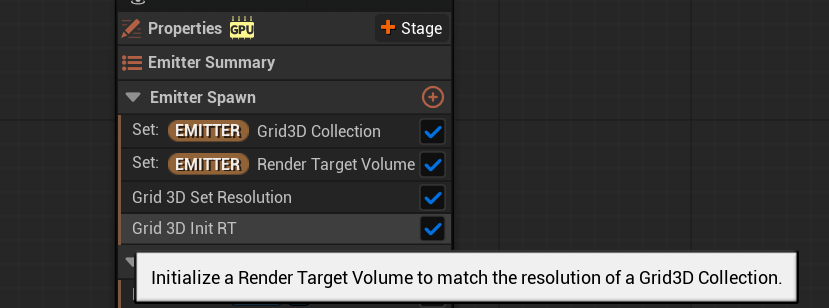
Then, I saw a function that initialized a Volume (3D) Render Target to the size and specs of a Grid3D. This was the final reinforcement that what I was going to accomplish was intended functionality.
It all came together: each grid cell in the Grid3D can be assigned an attribute, which can then be written to a Volume RT, all on the GPU. Finally, I just have to sample the RT from the fog shader and I have my mask!
Implementation
To implement all this, I started with making fog modifier objects, they were just the representation of spheres with a world position and a radius, that would cut the fog. Then, I wrote some C++ code that gathered all modifiers that were inside a fog object, and passed their positions and radii as a Vector4 array to the Niagara system.
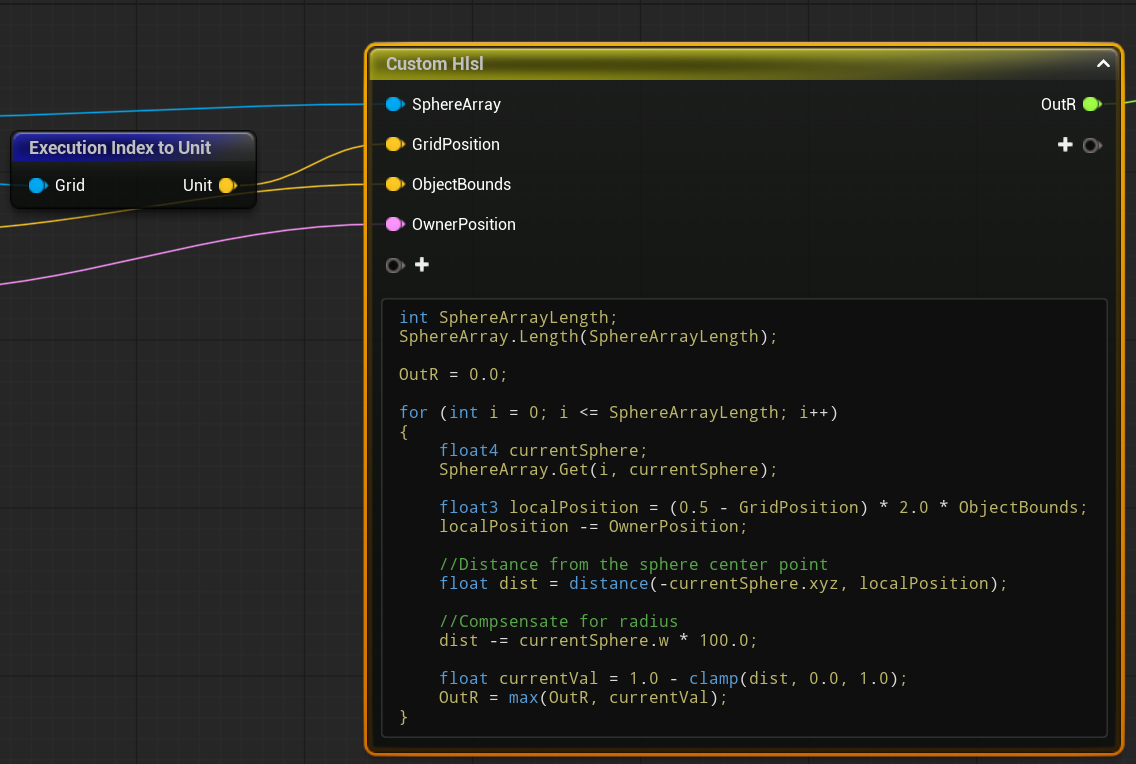
Here, with some HLSL code iterated through each grid cell: if any of the spheres were inside of the current cell I set the mask attribute to 1, otherwise it remained 0. This was all written to the RT that I then sampled from the shader.
The result also allowed objects other than the player to interact with the fog. I made a throwable flare that would ignite on the ground and “burn” the fog away, soon becoming a main mechanic in the game.
Optimization
While the system was already lightweight and did not consume much frame time when I profiled the game, there were some quick optimization steps I wanted to get done.
First, I implemented simple occlusion culling by disabling the Niagara system and not passing data to it if the fog object was not rendered recently. I also set up a separate collision channel for the fog to streamline the overlap events that filter modifiers that are inside a fog object, and to avoid any possible interference with other systems.
Then, I used an object pool to pre-spawn a set amount of modifiers and updating their positions instead of constantly destroying them and spawning new ones.
This was already a big enough performance improvement that it was perfect for the scope of our project, and I dedicated my later efforts to optimizing other systems in the game.
Future improvements
While the GPU compute shader approach via the Niagara system is robust, it still has some limitations that I would like to get around.
Firstly, there are only a small set of array data interfaces for the Niagara system, so I’m limited to a Vector4 array. I would need to write a custom C++ backend to be able to pass more parameters for the system.
The major bottleneck is still the collision resolution: having to iterate through each modifier sphere for each grid cell. This way the complexity still increases with the amount of fog modifiers.
While I was experimenting with the Niagara Fluids plugin, I saw Neighbor Grid3D. In theory, it can tell if the current cell is populated by a particle by only having to check the neighboring cells, instead of iterating through the entire array. So, I plan on redesigning the system to be purely particle-based.
I could even make fog modifiers the shape of any mesh, not just spheres, by precomputing them such that they are voxelized and filled with particles. Then, when spawning any of these particle modifiers inside a fog object I can use the Neighbor Grid3D to tell if any cell is populated by a modifier particle or not with a lot less overhead.